What Claid AI does
Claid AI is a product photography editor for online sellers. It turns simple shots into photoshoot-quality images: realistic lifestyle scenes, on-model photos and clean cutouts. The same engine covers enhancement, background removal, AI Photoshoot, AI Fashion, AI Video, AI Edit, outpainting and AI Shadows, and a separate API runs the same operations at scale for teams that process images in batches. It is built for marketplace sellers, e-commerce stores and fashion brands that need a steady stream of product visuals without booking a studio, a photographer or a model.
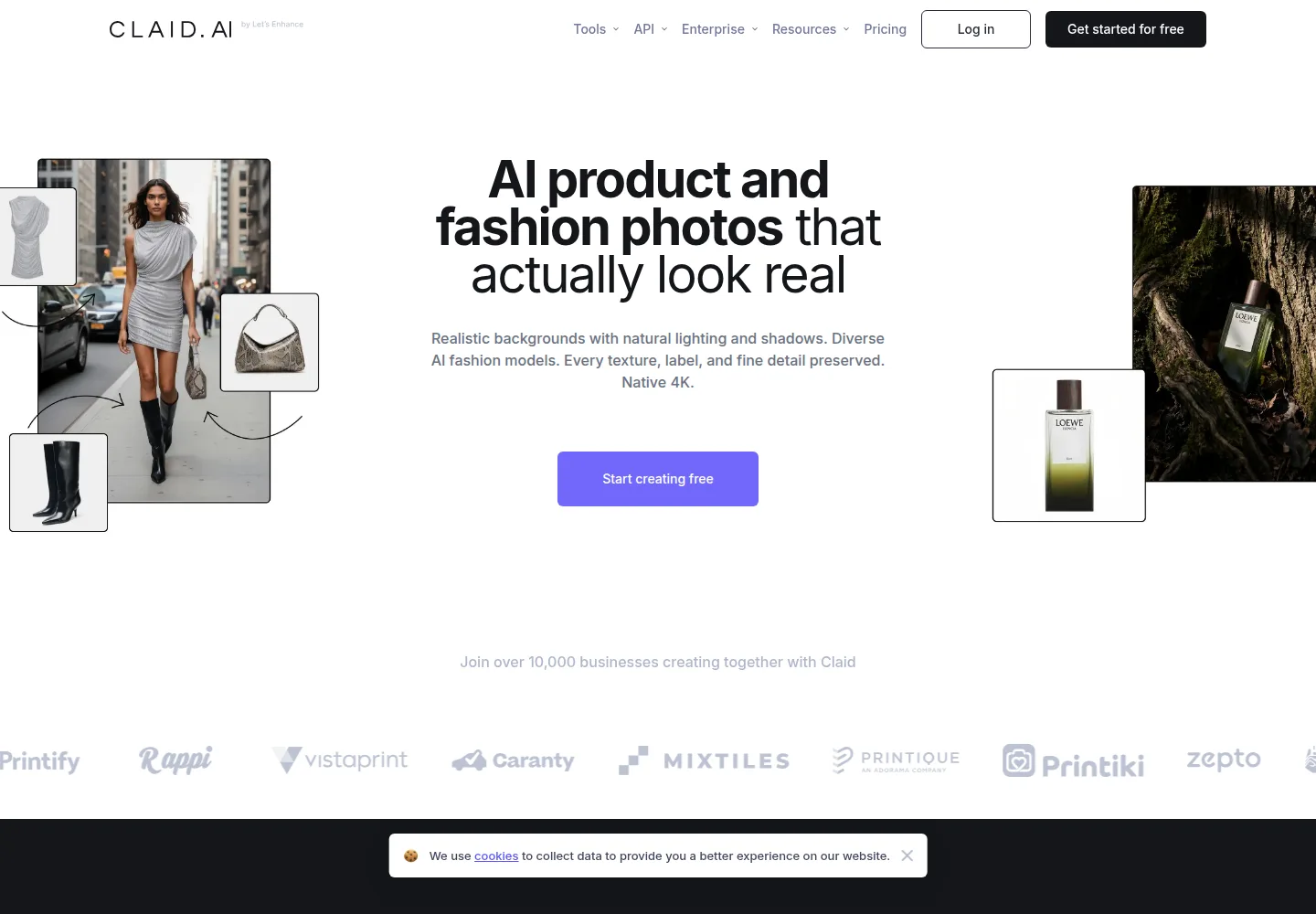
The metering is the point. Claid sells credits, not photos, so the price of a job depends on the type of job. A background removal costs 1 credit, an upscale costs 2 to 8 credits, an AI Photoshoot or AI Fashion generation costs 4 credits, extending an image or adding a shadow costs 2 credits, and five seconds of AI Video costs 60 credits. Every plan carries a monthly allowance: 50 credits on the free tier, 500 on Essentials and 2,000 on Pro. In practice, 500 credits is 500 background removals or 125 AI Photoshoots, so the plan you pick follows the mix of work you run, and a credit is worth far more on a cheap cutout than on video.
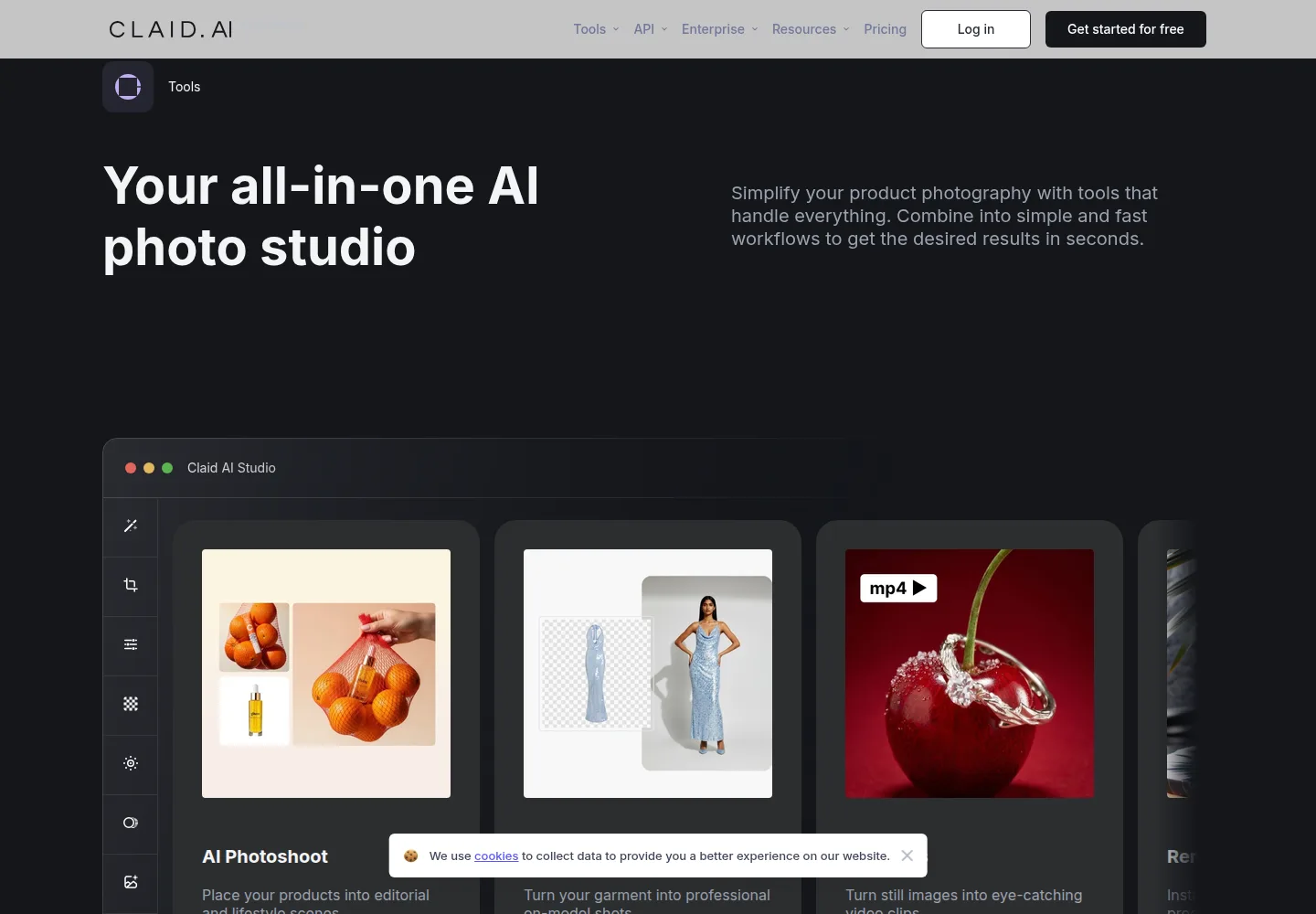
What Claid does not sell is an image price. There is no per-photo rate and no seat price, so two stores on the same $9 plan can end up paying very different amounts for a finished image. The output ceiling also moves with the tier: Essentials is capped at 2K, while Pro opens the Premium tools and 4K generation, and the API key that automates the work arrives with Pro rather than with the cheapest plan.
What you get for the money
| Plan | Price | What is included | The limit that matters |
|---|---|---|---|
| Free | No charge | 50 credits for any operation, all Standard tools, 50 API credits | 24 hours of history, and no AI Video credits |
| Essentials | $9 /month | 500 credits, Standard resolution up to 2K | The 2K ceiling, and credits spent on every operation |
| Pro | $35 /month | 2,000 credits, Premium tools with 2K and 4K generation, uploads up to 64 MP, three months of history, API key | Still credit metered, so volume drives the real cost |
| Business | Custom /month | Custom credit volume, advanced API workflows, custom SLAs, dedicated onboarding | No published price, quoted on contact |
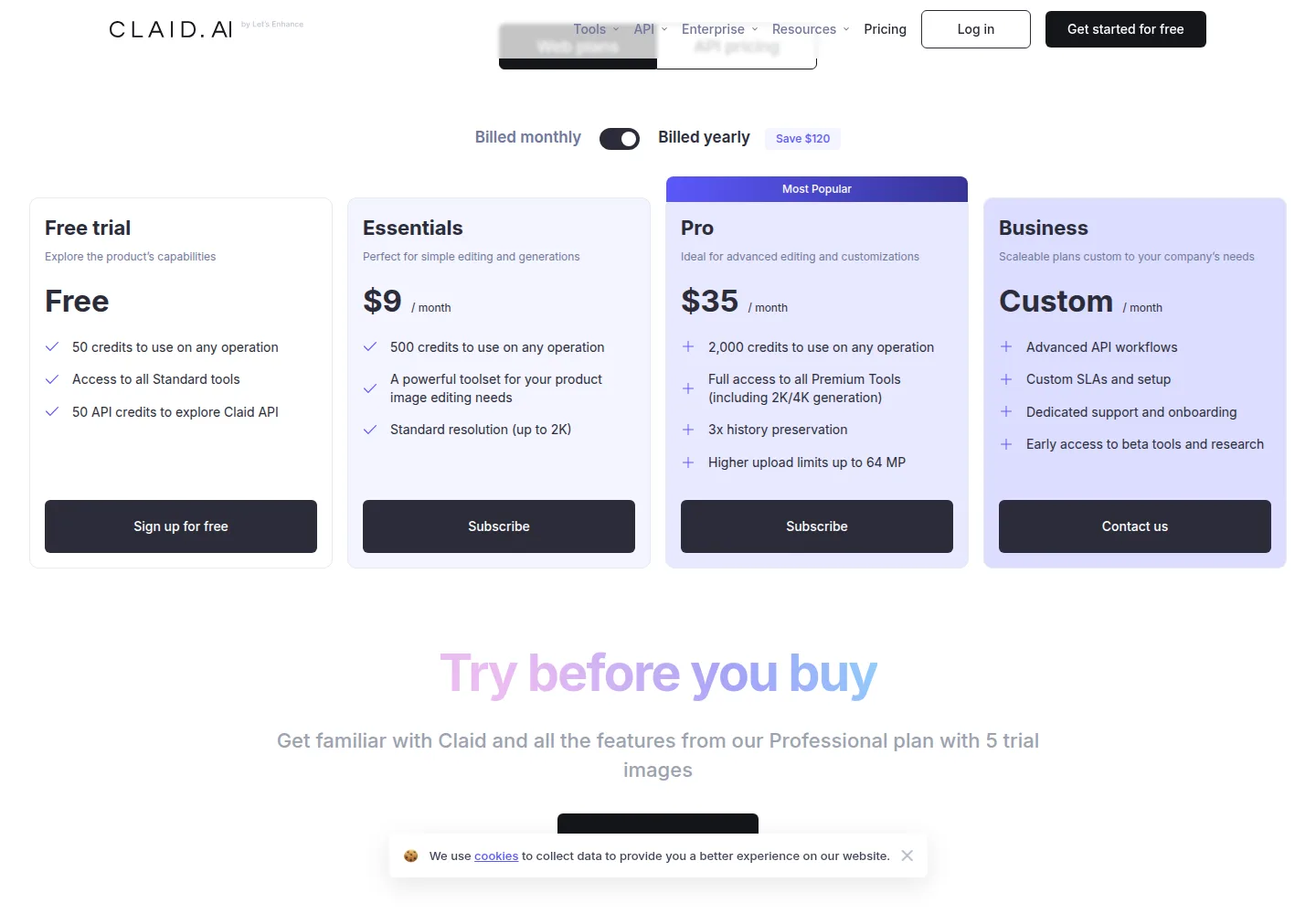
Essentials and Pro run the same tools on different credit volumes. $9 buys 500 credits, which is 125 AI Photoshoots or 500 background removals at 2K, and $35 buys 2,000 credits and the 4K tier on top. Over twelve months the monthly rate runs $108 on Essentials and $420 on Pro before any yearly discount, which the billing switch advertises as a $120 saving, tracked on the deals page, without publishing a flat annual figure.
On this page
Where it falls short
- The plan price is not an image price. An operation spends 1 credit for background removal, 2 to 8 for an upscale, 4 for an AI Photoshoot and 60 for five seconds of AI Video, so your cost per finished image moves with the work, not the tier.
- Resolution is tiered. Essentials stops at 2K, and 4K generation, uploads up to 64 MP, three months of history and the API key all require Pro at $35.
- Video is thin on the low tiers. Pro’s 2,000 credits buy 33 clips of five seconds, and the free tier includes no AI Video credits at all.
- The yearly switch advertises a $120 saving but publishes no flat annual price, so you cannot know the twelve-month cost before checkout.
- Business carries no published price and is sold on contact, and the API needs Pro or a custom agreement.
Claid AI alternatives
- Pebblely, from $9 a month, generates product scenes from a single photo, with 30 images a month on the entry tier and 2+ months free on the yearly plan.
- Flair AI, free to start then $8 a month, adds custom AI models, image variations and video generations on top of product photography.
- Pixelcut, $10 a month billed monthly or $8 billed yearly, gives 600 AI credits a month, unlimited background removal and upscaling, and a three-person team.
Who it is for: Claid AI
For marketplace sellers and small brands with a steady trickle of product and fashion photos. If your shots are already well lit and the job is to strip the background, drop the product into a lifestyle scene or put a garment on a model, that is the work Claid describes, and Essentials at $9 a month covers 125 AI Photoshoots or 500 background removals at 2K. The free tier with its 50 credits is enough to inspect a few results before you pay, which matters when the whole product is the look of the output.
Not for high-volume catalogs, where credit spend climbs with every image, or for teams that need 4K, uploads above 64 MP and the API from the cheapest tier. It is also a poor fit if you budget per finished image, because the same plan yields a different count of images for every mix of operations, and no flat annual price is published to plan against.
How we checked
Claid AI is a research review: we read the pricing page at claid.ai/pricing, the terms of service and the developer documentation on October 3, 2026, including the credit cost beside each operation, the free tier and the billing switch. We did not subscribe to a plan, generate or retouch an image, or time any operation, so the quality of the cutouts, lifestyle scenes and on-model results is not verified. When we buy a plan and run real product photos through it, this page becomes a hands-on review at the same address. Listed prices can change, and the yearly switch carries no flat annual figure to test.
What to do next
Start on the free tier with its 50 credits and 50 API credits. If the results hold and you shoot small batches at 2K, Essentials at $9 a month is the cheapest paid entry; if you need 4K, the API or uploads up to 64 MP, go straight to Pro at $35 and let the credit allowance set your monthly volume. Once you have a plan, our tutorial walks through a first product photo step by step.
FAQ
What does Claid AI cost?
Essentials is $9 a month for 500 credits and Pro is $35 a month for 2,000. Business is quoted as Custom.
Is there a free plan?
Yes. A free tier gives 50 credits to use on any operation, access to all Standard tools and 50 API credits to explore the API.
What does one credit buy?
Nothing on its own. An operation spends 1 credit for background removal, 2 to 8 credits for an upscale, 4 credits for an AI Photoshoot and 60 credits for five seconds of AI Video.
Can I use the API on Essentials?
No. The API key comes with the Pro plan, or through a Business agreement.
Does Claid AI output 4K?
Pro does. The Premium tools on Pro include 4K generation, while Essentials is capped at 2K.
Sources
Sources
- https://claid.ai/pricing (checked October 3, 2026)
- https://claid.ai/terms (checked October 3, 2026)
- https://docs.claid.ai (checked October 3, 2026)
Update log
Published October 3, 2026 as a research review. Prices last checked October 3, 2026 on the Claid pricing page.