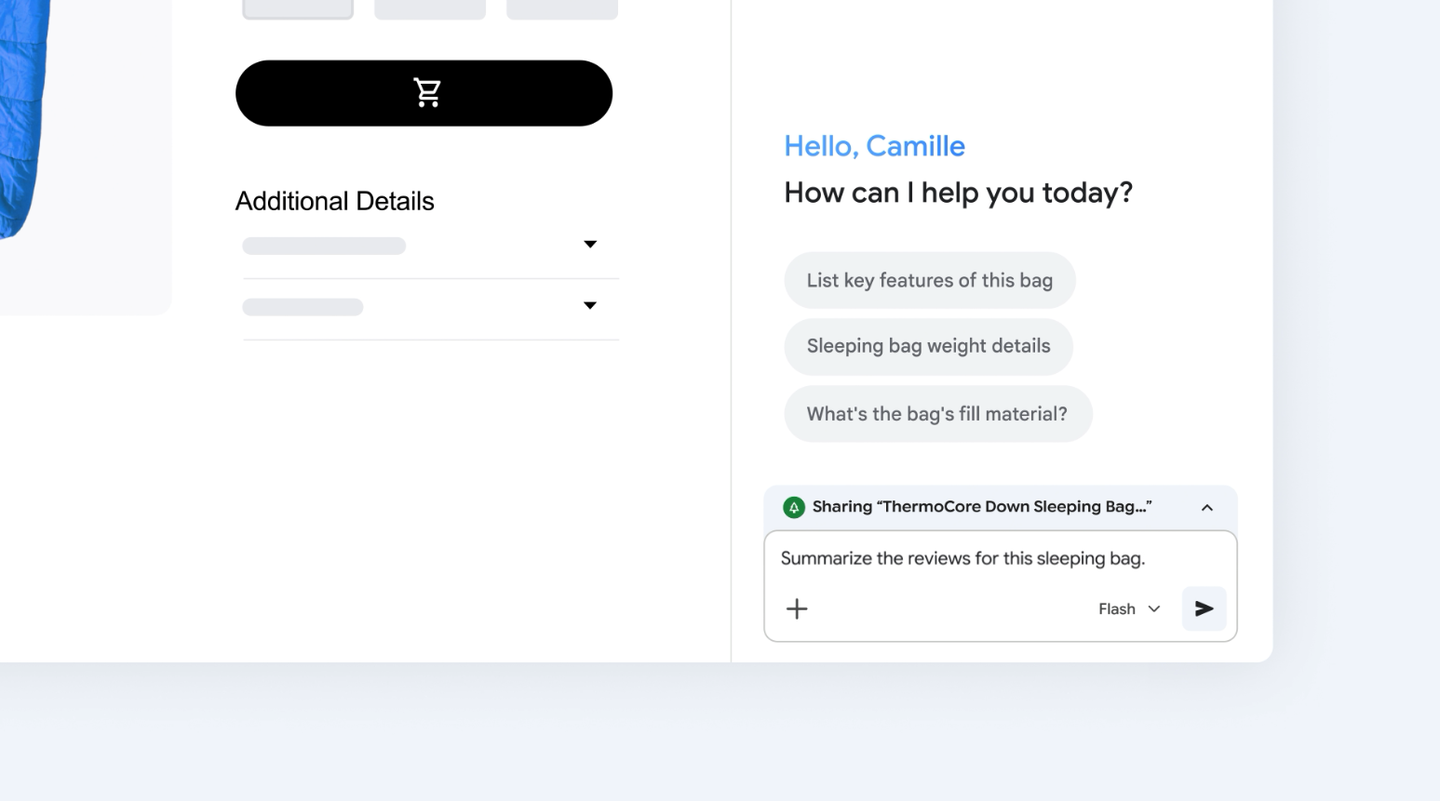
Google published two lines of instructions for Chrome on November 12, 2026, telling readers to open the Gemini side panel and ask it for a summary, a product comparison or an explanation while keeping their place on the page. No launch attaches to it: the post names no model, no plan, no price and no country. What it puts on the record is where the panel lives and what Google expects people to use it for.
What was actually released
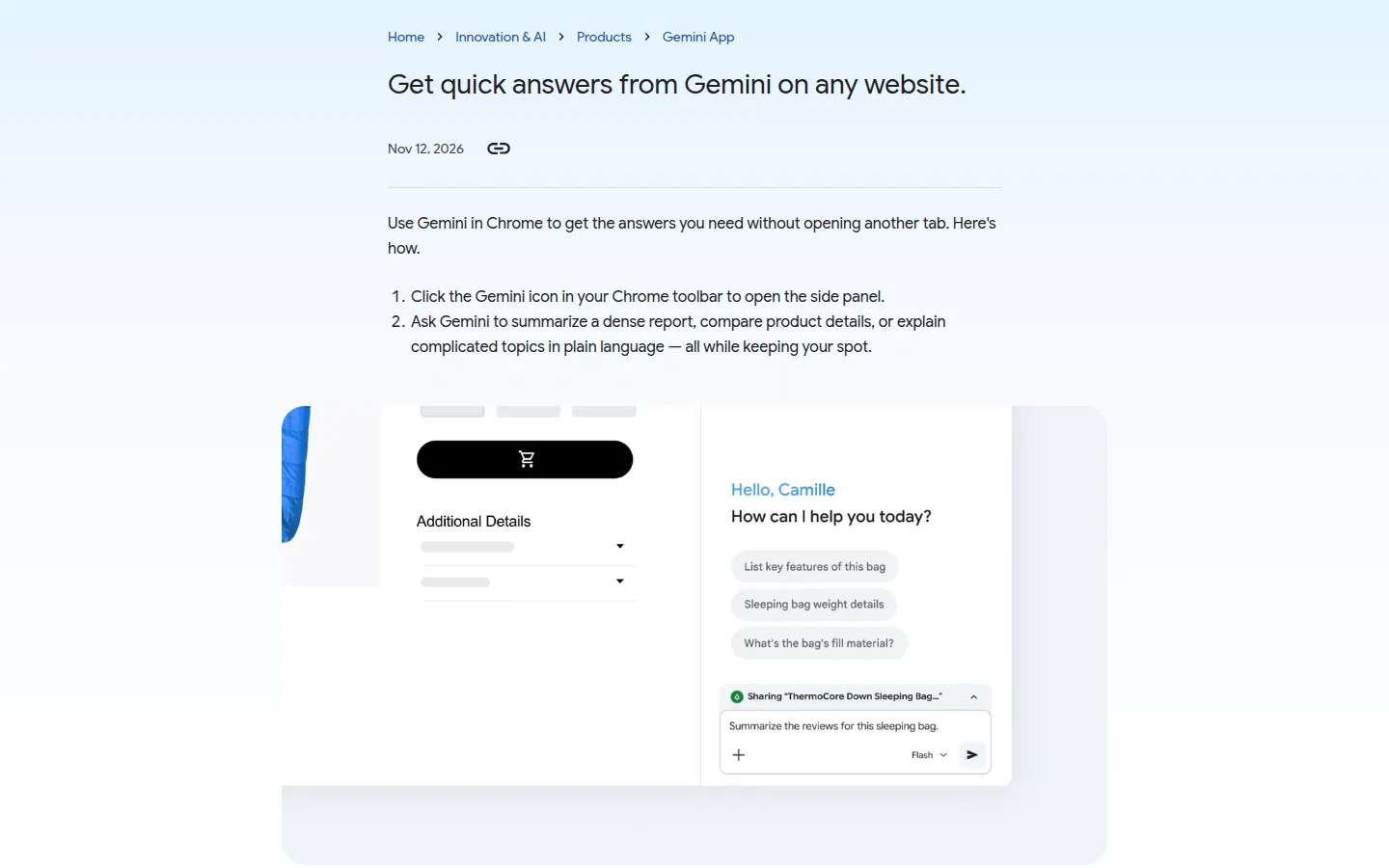
Nothing switches on in the text. The page carries a headline promising quick answers on any website, a dek promising those answers without opening another tab, and then two instructions: click the Gemini icon in the Chrome toolbar, and ask. That is the full body.
| Question | What the post states |
|---|---|
| Entry point | The Gemini icon in the Chrome toolbar |
| Surface | The side panel |
| Jobs named | Summarize a dense report, compare product details, explain a complicated topic |
| What the reader keeps | Their spot on the page |
| Date on the page | November 12, 2026 |
| Model named | None |
| Plan or price | None |
| Markets | Not stated |
The three jobs are the part worth a second read, because they are the three things a reader does when a page is long, dense or written for somebody else. Google folds them into one gesture: the icon in the toolbar instead of a new tab, a typed window instead of a copied paragraph. For a reader who opens six tabs to check one claim, the offer is a saved round trip, phrased as a habit rather than as a capability.
What to remember
- The route is the Gemini icon in the Chrome toolbar, not a search box and not a keyboard shortcut.
- Three jobs are named: summarize, compare, explain. None of them is transactional.
- No model, no plan and no price appear anywhere in the post, so nothing here argues for buying or switching.
What the claim rests on
The evidence is two sentences of instruction, and the heaviest word in them is any. A headline that says any website is a promise, not a test: the post lists no page type, no exception and no failure case. There is no accuracy figure, no response time, no limit on page length, and no note on pages whose text sits behind a login, a paywall or a script that renders late.
Use Gemini in Chrome to get the answers you need without opening another tab.
That dek is the only claim a reader can check in under a minute, and the check is mechanical. Does the icon sit in the toolbar, does the panel open, does an answer arrive without a second tab. Answer quality is a separate matter, and the post addresses none of it. The page also carries one more line in its own description field, Try it now, which is written for a search result rather than for a rollout and comes closer to stating general availability than anything in the body.
What is not published
Which model answers in the panel, whether the feature is free or tied to a paid plan, which countries and Chrome versions are covered, how long the text of a page is kept, and whether an answer draws on the open page alone or on the wider web. None of those appear, and the last one decides what a comparison produced in the panel is actually worth.
On this page
What it changes for a reader who pays for an AI tool
This touches the reader who already pays for an assistant and still copies paragraphs into a chat window, then pastes the reply back into a document. The panel removes the copy and the tab, which saves seconds and clicks on every long page. What it does not do is change a bill: no tier is named, no feature is fenced, and a reader on the cheapest plan has no way to know from this page whether the panel answers.
Then comes the third job, the one that matters at purchase time. Compare product details is the step that decides which tool somebody buys, and it is also the step that depends entirely on what the panel reads. If the answer works from the page in front of the reader, which is what keeping your spot describes, then the comparison it returns is a comparison of that page’s own claims. A page selling a tool, summarized by a panel reading the page, is a shorter page selling the same tool. Nothing in the post says whether the answer stops there or reaches the open web, and that single unknown separates a reading aid from a checking tool.
The Neural Minute take
This is the second Gemini post in two days with the same shape. The CarPlay release we covered on November 11 at least named its perimeter: every Gemini user on iOS, every supported Gemini Live language, from that date. Today’s post names no perimeter at all, and it is filed in the same Gemini App category, one slot away from a Notebook post and one below a Chrome feature roundup. The direction is the same in both cases: the assistant moves to where the reading happens, so that using it requires no decision.
Our tool pages are built the other way round. A price goes in only after being read at the editor’s own page, with a date beside it, so a reader can check it later. A panel that compares product details on whatever page is open works from that page, and the page that lists product details is usually the page trying to sell them. The panel makes a page easier to read; it does not make it more true. That is the gap our pages fill, and it is why a summary is a starting point rather than a verdict, whichever button produces it.
For anyone deciding what to pay for, nothing here moves the answer. This is a habit install: a reader who asks in the panel ten times a week has moved research out of the search box and into the page, and the assistant they keep is the one already there when the question appears. That is a stronger position than a better model on a separate site, and Google gets it without publishing a single number.
Two things we will watch. Whether a later post names the model behind the panel, since two posts in two days on the same product without a model name is a pattern rather than an oversight. And whether Chrome gets a data note, because a panel that reads the open page touches more of a reader’s screen than a prompt typed into a chat window.
Sources
- Use Gemini in Chrome to get quick answers, Google, published November 12, 2026. Read the same day for the two instruction lines, the three named jobs, the page date and the description field. The body is two sentences long, which is the fact this article rests on.