Minute Verdict
Cursor CLI puts the Cursor agent in a terminal. One command installs a binary called agent that reads a repository, edits files and runs shell commands, either in a conversation or in print mode for scripts. It is not sold on its own: the terminal draws on The X Subscription, the plan that also covers Grok and X, and the cheapest paid seat is Plus at $8 a month. Cloud Agents, the runs that keep working on a Cursor machine after the laptop closes, start at Premium at $30 a month.
Best for: a developer already on Cursor who wants the same agent over SSH, in a Makefile or in a CI job, without paying a second subscription.
Not for: a team that wants autonomous cloud runs at the entry price. Cloud Agents are absent from the $8 seat.
From: $8/mo billed monthly, checked November 12, 2026
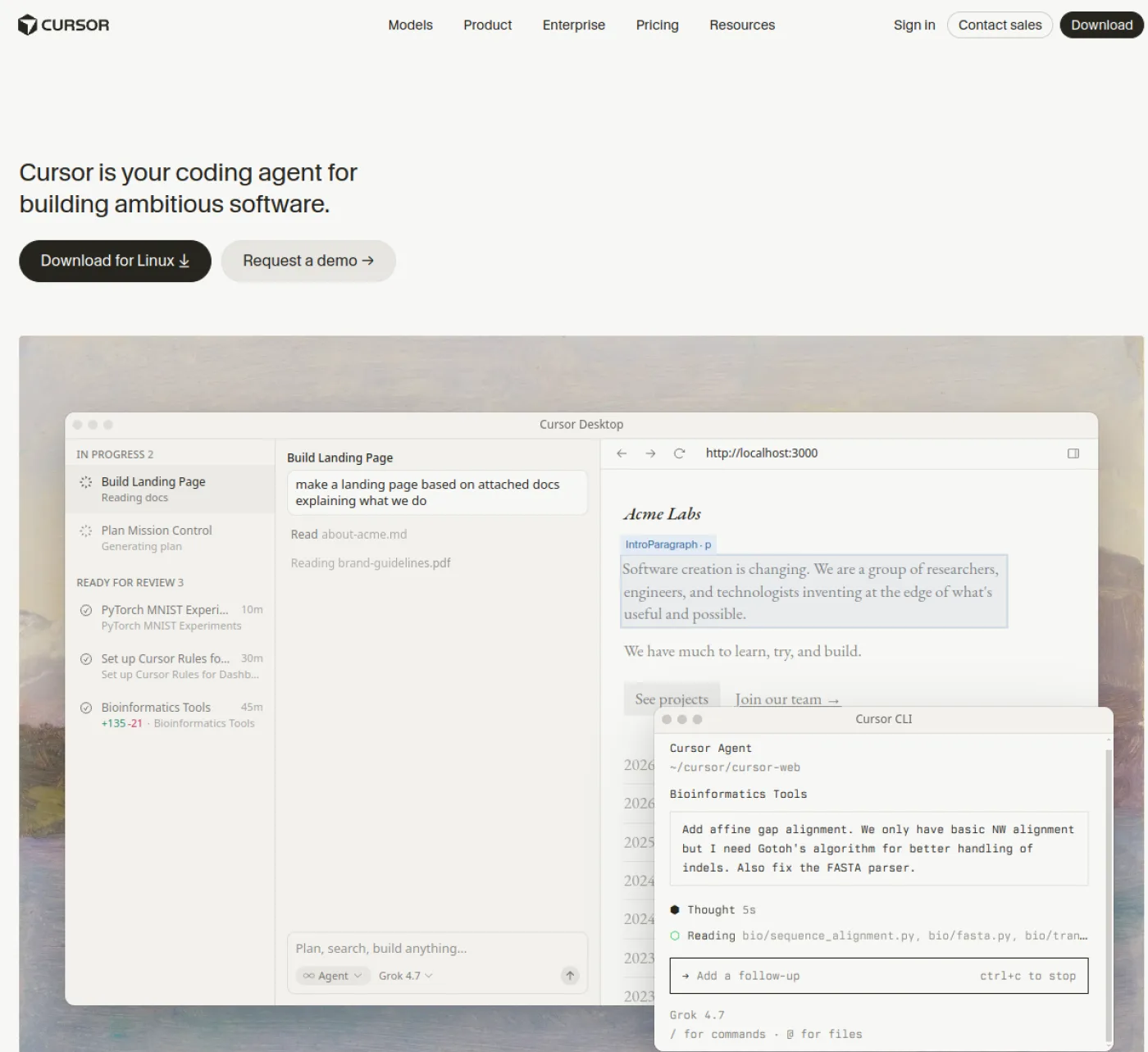
What Cursor CLI does
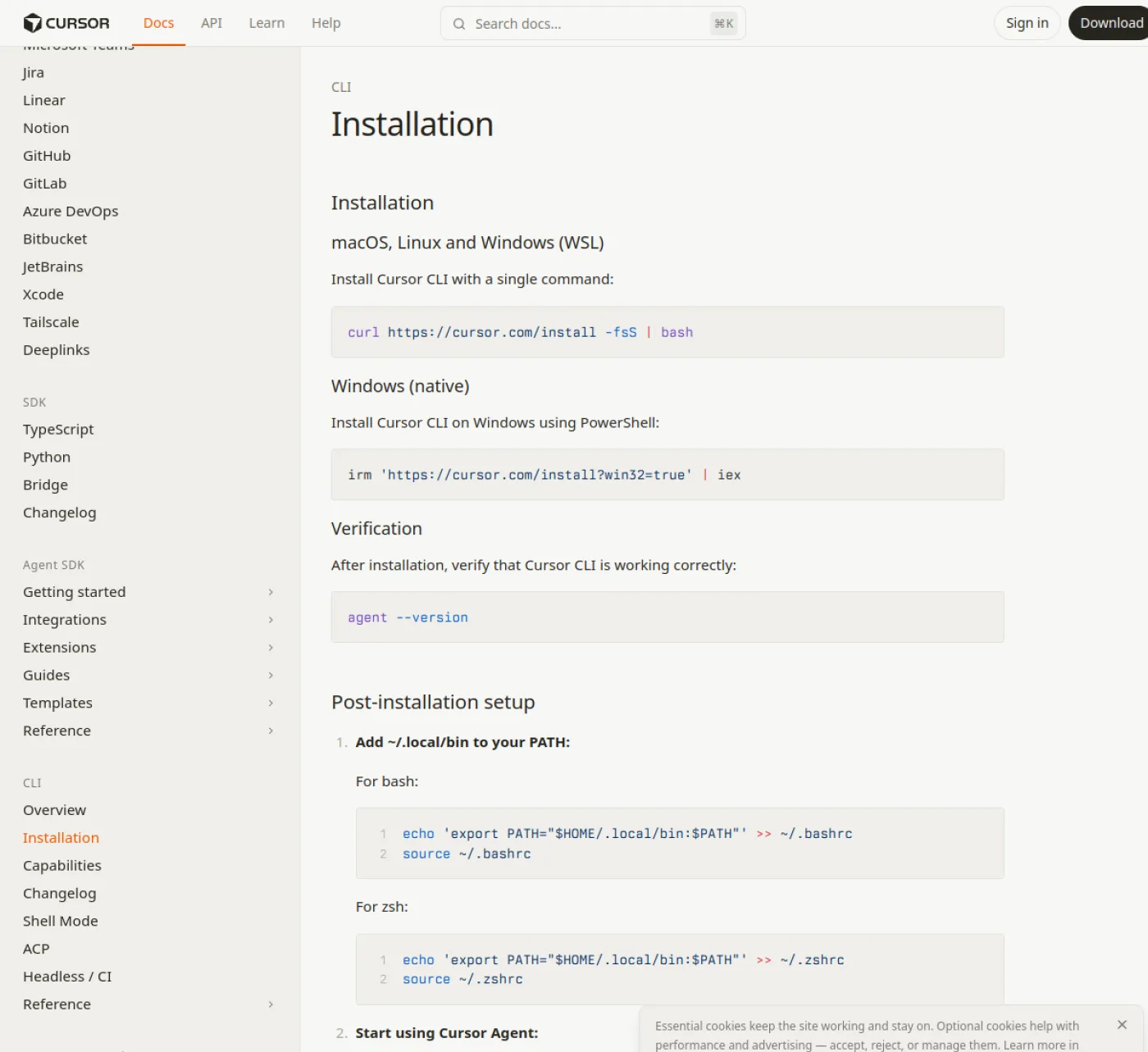
The install is a single shell line. On macOS, Linux and Windows through WSL it is curl https://cursor.com/install -fsS | bash; native Windows takes a PowerShell one-liner with the working-install flag. The binary is named agent, and agent --version is the check that the path is right. Cursor auto-updates it by default, and agent update forces the latest build when a machine is pinned for other reasons. Nothing else has to be installed: no Node runtime, no separate API key, since the terminal signs in to the same Cursor account as the app described in our full Cursor review.
Inside a session, the CLI carries the three modes of the Cursor app. Agent is the default and has every tool. Plan designs the approach first and asks clarifying questions. Ask explores the code without modifying it. The switch is one keystroke, Shift+Tab, or one flag, --mode, --plan or --ask, so a script can pick its mode without touching the interface. The rules system is shared too: a .cursor/rules directory loaded by the app is loaded by the terminal, which matters for a team that has already written its conventions once.
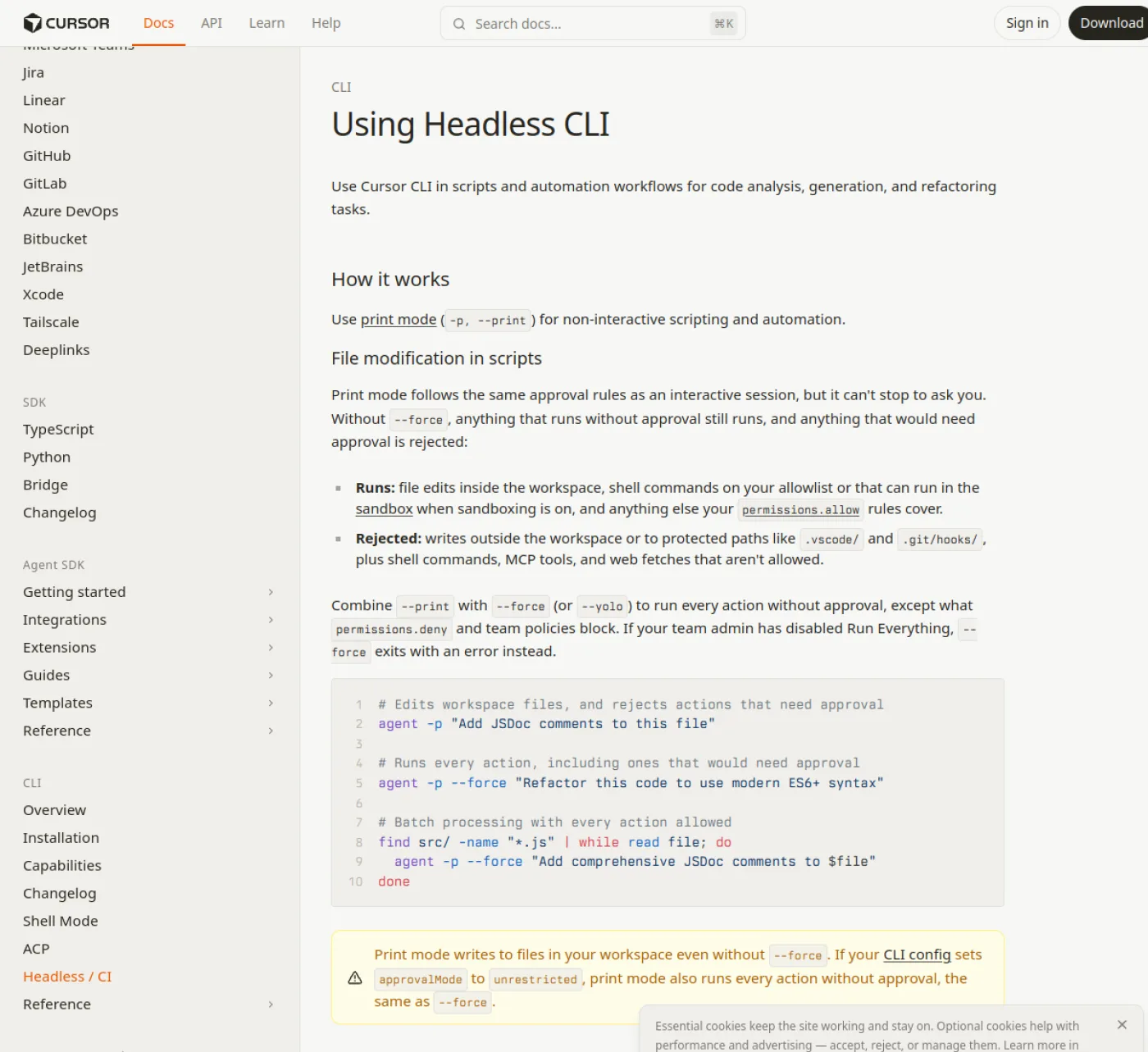
The terminal also carries what a shell needs. A conversation resumes with --resume and a thread identifier, or with agent resume for the last one, and agent ls lists the older chats. A run can open into a Git worktree with -w, which keeps the current checkout untouched and places the new one under ~/.cursor/worktrees/. Sandbox behavior is a session setting, on or off, with network access managed in the same menu. When a command needs elevated rights, the sudo password is typed into a masked prompt and travels to sudo over a local channel, so the model never sees it. For a long command, -p or --print sends one instruction and prints the answer, with --output-format json when a script has to parse it.
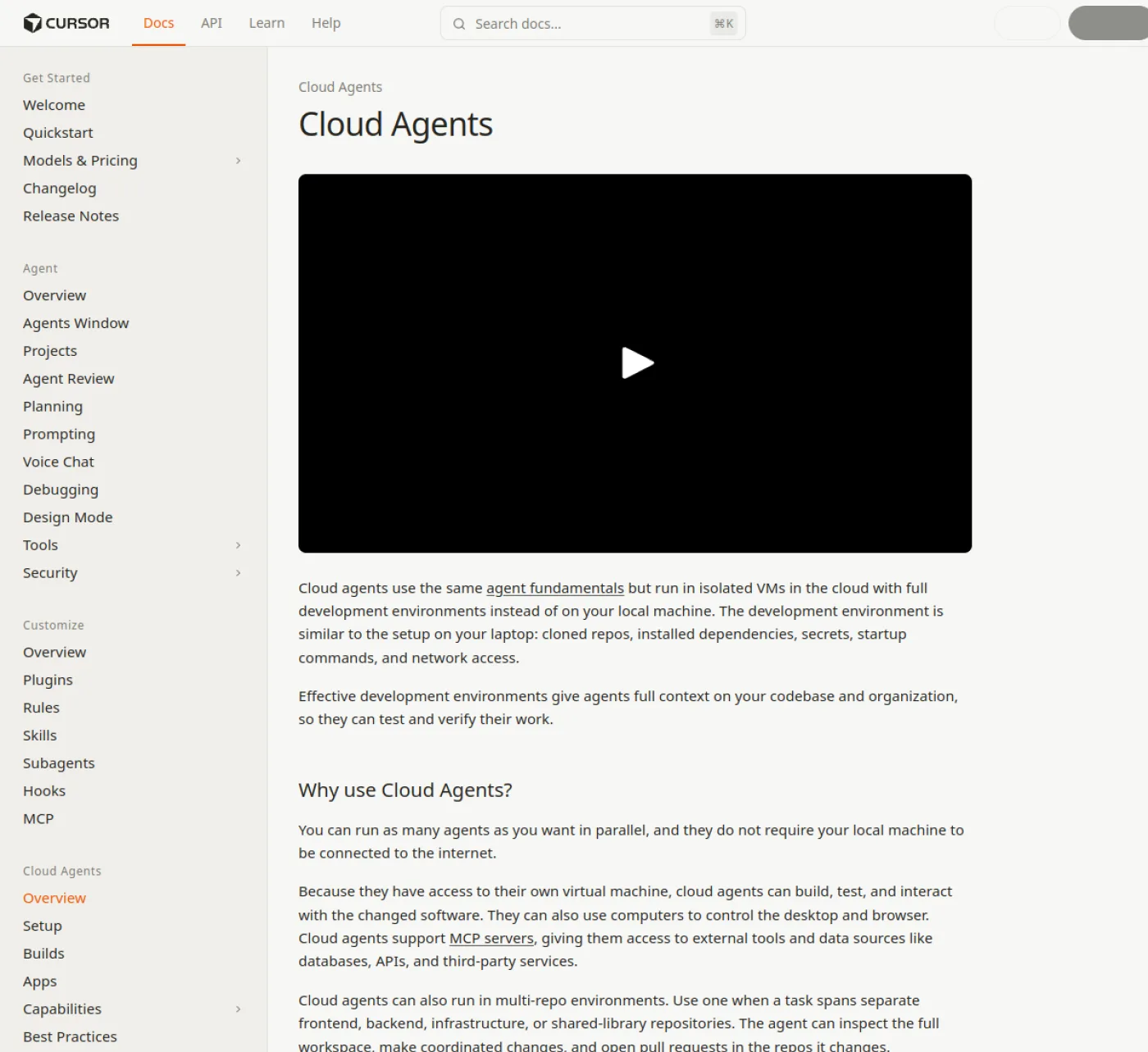
Cloud Agents are the other half. Any message prefixed with an ampersand is handed to a Cloud Agent, and the run continues on Cursor’s machines while the terminal is closed; cursor.com/agents reopens it from web or mobile. Their environment is prepared in one of three ways: a setup led by the agent, a saved snapshot, or a Dockerfile in .cursor/environment.json. Cursor builds that environment in the background, keeps the artifacts of the run, including screenshots, videos and logs, and hands back a pull request that is ready to merge. A teammate can be given the agent URL, and access is checked against that teammate’s own source control account, not against team membership. Cursor renamed these runs from Background Agents, and the old name still appears in older posts.
On this page
What you get for the money
| Plan | Price | What is included | The limit that matters |
|---|---|---|---|
| Free | No charge | Limited agent and chat requests, the Cursor agent in the app and the terminal | One shared allowance, so a long task can empty the day |
| Plus | $8 a month | The agent, one weekly pool, the Cursor and Grok models, Grok API access | Grok models only, no Cloud Agents, no third-party models |
| Premium | $30 a month | Four times the Plus pool, Cloud Agents and automations, Bugbot, Origin hosting, third-party models at API list price | Third-party spending is billed apart, from prepaid credit |
| Super | $100 a month | Fifteen times the Plus pool, priority model access at peak times | Still no allowance for third-party models |
| Ultra | $200 a month | Fifty times the Plus pool, earliest access to products and models | The same third-party caveat, at the top of the ladder |
| Teams | $30 per seat a month | Pooled usage, admin, SSO, spend controls | Per seat, and Cloud Agents follow the seat tier |
| Enterprise | Custom | Pooled usage, invoicing, audit, SCIM | A sales call, no self-serve checkout |
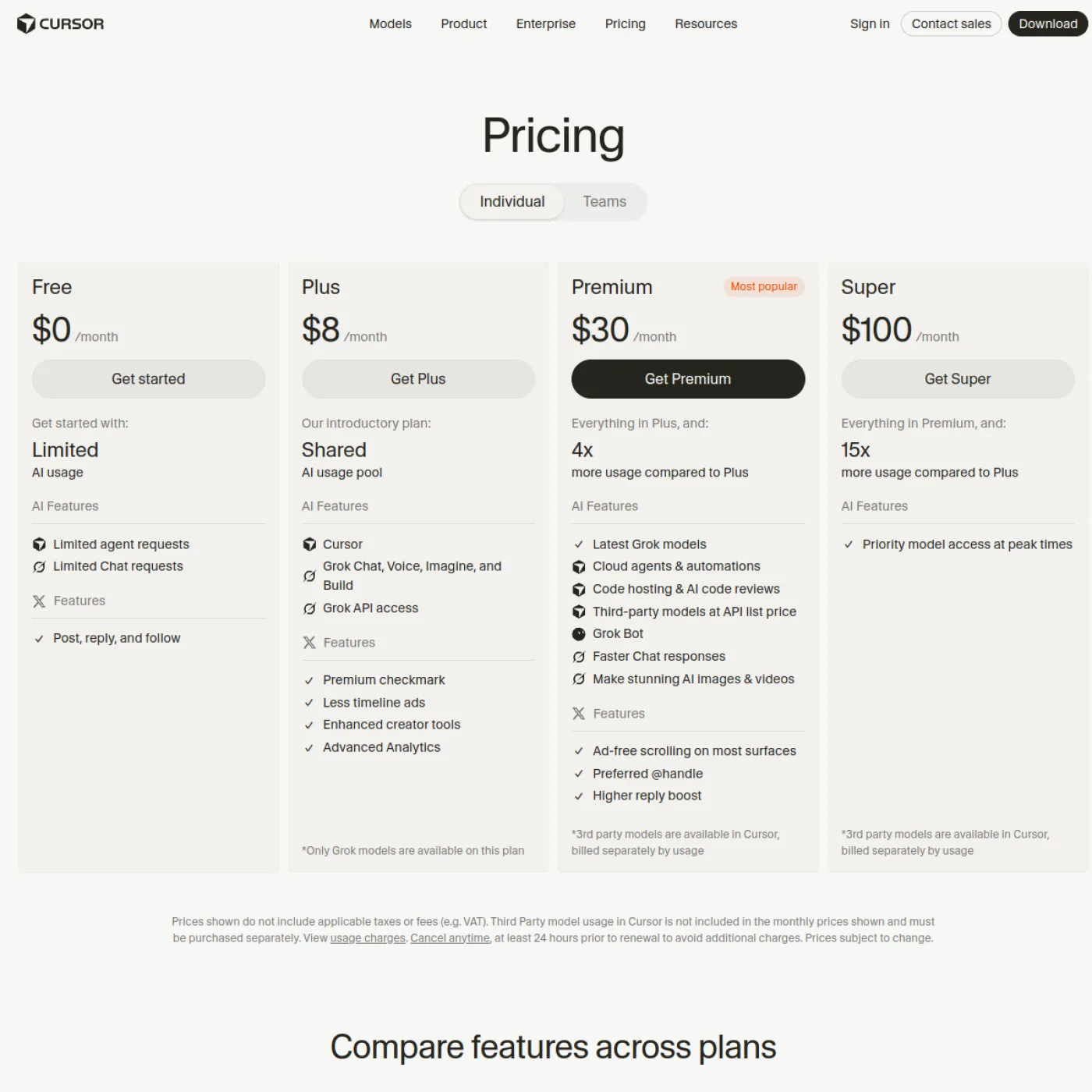
Annual billing is $80 for Plus, $300 for Premium, $1,000 for Super and $2,000 for Ultra, and every figure excludes sales tax. A Plus seat paid monthly over twelve months is $96, so the yearly view saves $16 on a seat whose only job is terminal work. Cloud Agents carry no separate price: they draw on the plan’s weekly pool at the rate of the created model, and Cursor asks for a spend limit the first time one is started. That is why the cloud part of this page is a $30 conversation and not an $8 one. The subscription is also the one sold on the Grok pricing page, since a single X Subscription covers Cursor, Grok and X. Cursor states that no reseller is authorized, and that a seat bought elsewhere can be suspended.
Where it falls short
- Cloud Agents and automations sit at Premium. A team that only wants unsupervised runs cannot buy them for $8.
- Plus is limited to Cursor’s own Grok models. A developer who wants Claude or GPT in the terminal pays the $30 tier, where those models are still billed at API list price from prepaid credit.
- No absolute quota is published. The grid says four times, fifteen times or fifty times Plus, and Plus itself is described as a base, so a buyer cannot compute a number of requests before paying.
- There is no CLI-only plan. The terminal is one surface of a subscription that also pays for Grok and X, which is a fair deal for someone using both and a poor one for a developer who only wants a shell agent.
- Print mode is careful by design. Without force mode it rejects anything that would need approval, including writes outside the workspace, MCP tools and web fetches, so a CI job needs a permissions file before it runs unattended.
Cursor CLI alternatives
- Windsurf, from $20 a month billed monthly, is the closest full app rather than a terminal, now shipped as Devin Desktop with its own agent and quota system. Windsurf review
- Kimi, $19 a month billed monthly, runs Kimi CLI from the same membership and puts the K3.1 Pro model in a terminal without a desktop app. Kimi review
- Google AI Studio, $2 per million input tokens on Gemini 4 Argon until November 30, 2026, feeds the Gemini CLI through an API key instead of a monthly seat. Google AI Studio review
Who it is for: Cursor CLI
It suits a developer who already pays for Cursor and works part of the day in a shell. Reviewing a branch before a pull request, renaming a symbol across a monorepo, drafting a migration while an editor is open elsewhere: the terminal does the same work with the same rules and the same pool, and the handoff to a Cloud Agent means a long refactor can start before a train ride and be waiting as a pull request afterwards.
It also suits a small team that wants an agent in its pipeline. Print mode returns JSON, the exit conditions are documented, and the approval rules can be narrowed in permissions.allow and permissions.deny. What it does not suit is a solo developer who wants a cheap cloud agent and nothing else, or a team standardized on Claude models: both cases point at a higher tier or at another vendor, and the build and data tools hub lists the neighbours to compare against.
How we checked
We read the Cursor CLI documentation on November 12, 2026, in English and in dollars: the overview, the installation page, the headless guide and the page on working with the agent, plus the Cloud Agent page and the pricing grid. We installed nothing and ran no agent, so this is a research review, with no timing, no output and no quota measurement of our own. What a hands-on test would add is the real cut-off of a weekly pool during a week of terminal work, and the behavior of force mode on a real pipeline.
What to do next
Start with the install line and a Free account, in a repository you can throw away, to see whether the modes and the terminal review fit the way you work. If the answer is yes and the work stays on your machine, Plus at $8 is enough. The day a run has to continue after the laptop closes, the $30 Premium seat is the one that includes Cloud Agents, and a buyer already paying for Cursor should check which tier the account sits on before adding anything: the terminal is already inside it.
FAQ
Is the Cursor CLI free?
The CLI has no price of its own. A Free account gets limited agent requests, and the terminal draws on that same allowance. Paid seats start at Plus, $8 a month.
How do I install the Cursor CLI?
On macOS, Linux and Windows through WSL, the install is one curl command piped to bash. Native Windows takes a PowerShell installer. The binary is called agent, and agent –version confirms that it answers.
Can I run Cursor CLI in CI?
Yes. Print mode, written -p or –print, returns text or JSON and follows the same approval rules as an interactive session. An unattended workflow passes –force, and a team policy can still block that.
Do Cloud Agents cost extra?
They carry no separate price. They draw on the plan’s usage at the rate of the model the run uses, and Cursor asks for a spend limit on the first run. The $8 seat does not include them.
Does the CLI need the desktop app open?
No. It runs from a terminal, and a conversation can be handed to a Cloud Agent that keeps working on Cursor’s machines. The account, the rules and the usage pool come from the Cursor app.
Sources
Sources
- https://cursor.com/pricing (checked November 12, 2026)
- https://cursor.com/docs/cli/installation (checked November 12, 2026)
- https://cursor.com/docs/cli/headless (checked November 12, 2026)
- https://cursor.com/docs/cli/using (checked November 12, 2026)
- https://cursor.com/docs/cloud-agent (checked November 12, 2026)
- https://cursor.com/docs/models-and-pricing (checked November 12, 2026)
Update log
Published November 12, 2026. Prices and plan grid checked November 12, 2026.