What you need before you start
- One target keyword. The company states that the more specific the keyword, the more precisely the content can be optimized.
- A language and a country setting, which the SEO content editor asks for when you start from scratch.
- A content type, a tone, a length, and a handful of structural choices. The company lists content type, tone of voice, article length, image count and style, formatting, FAQ, key takeaways, and citations as settings a preset can store.
- A brand voice decision. The company lists seven tones plus a custom option.
- An application password for your WordPress site if you want one click publishing. The company states that no plugin is needed and that the connection uses WordPress application passwords.
- Search Console connected if you want the agent to plan from your own clicks and impressions. The company states that the agent reads your actual keyword performance.
How the job is done with Koala AI
The company lays the workflow out in a clear order, and the order matters because each step feeds the next.
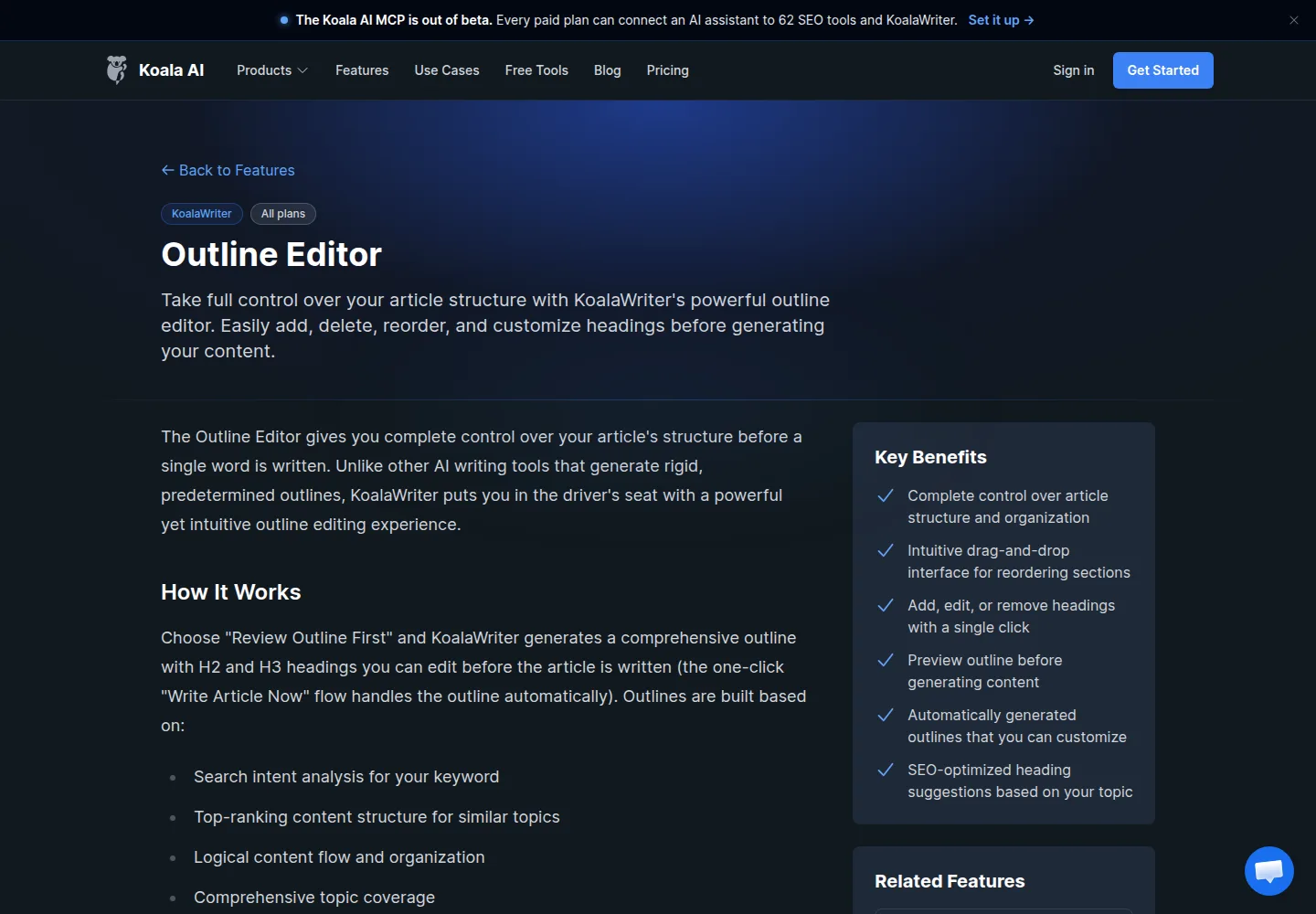
- Set up the article. Pick the keyword, the content type, the tone, the length, the image settings, and whether you want an FAQ, key takeaways, and citations.
- Choose how much control you want over the outline. The company states that the Review Outline First option generates an H2 and H3 outline you can edit before a word is written, while the Write Article Now option handles the outline automatically.
- Edit the outline if you chose to. The outline editor lets you add an H2 or H3, delete a section, drag to reorder, and rewrite any heading text.
- Generate the article.
- Grade and fix it. Every article opens in the SEO content editor. The company states that it runs a live search for the keyword, extracts the entities the ranking pages share, and scores your draft. You can also open it from scratch, give it a topic, a language, and a country, and paste a draft written anywhere else.
- Optimize or revert. The company states that Optimize rewrites the draft to work in missing entities and re scores it, and that the previous version is kept, so you can revert in one click.
- Publish. The company lists one click publishing to WordPress, Shopify, Webflow, and Ghost, plus webhooks for tools such as Zapier and Make.
Two optional layers sit on top. The company describes Deep Research, available on Professional and above, which can pull from the web, Google Scholar, or Google News, and add supporting citations. The company also describes a growth agent that plans from Search Console and Analytics data.
On this page
What to check in the result
- The SEO Score and the entity matrix. The company states that the matrix lists every entity with its weight, your count, and which competitors use it, so you can judge whether a gap matters or is noise.
- The competitor panel. The company states that it shows each ranking page with its H2 and H3 counts and its word count, which answers the structural questions directly.
- Facts. Prices, specs, and dates in an AI draft need a source. Deep Research is described as placing more emphasis on official product pages and documentation, but the check is yours.
- Citations. Confirm that every supporting link resolves and actually contains the claim.
- Tone. Compare the draft against the brand voice setting you chose, or against your own custom instructions.
- Structure. Check heading order, list formatting, and any table the draft produced.
- Word count against the plan. The pricing page states that the word count is based on using GPT-6 Luna, and that GPT-6 Sol and Claude Sonnet 5 count words at twice the rate, with Claude Opus 5.5 at three times. Model choice changes how fast a plan word budget is spent.
Where it usually goes wrong
- A broad keyword produces a vague article. The company’s own advice is to keep SEO Optimization enabled and to use a specific keyword phrase.
- SEO Optimization stays on when you already did your own research. The company states that you can set SEO Optimization to Off and steer keyword coverage yourself through the article instructions.
- Entity stuffing. The scoring rewards coverage, but a draft that repeats entities without saying anything still fails a human reader.
- Trusting the grader to fix facts. The grader scores entity coverage, not truth. Deep Research helps with sourcing, but a wrong number can still score well.
- Plan gating surprises. The company marks the SEO content editor and Deep Research as Professional and above, while the outline editor, presets, brand voice, and the WordPress integration are listed for all plans.
- Publishing without a connection. One click publishing requires the WordPress connection and an application password set up first.
What the plan allows
The pricing page lists one subscription across the platform and a credit system on top. Starter is US$25 per month and includes 45,000 KoalaWriter words per month, 500 credits, and 25 Brand DNA agent messages per month. Professional is US$49 per month with 100,000 words, 1,000 credits, and 50 Brand DNA messages. The next tier is US$99 per month with 250,000 words and 2,500 credits. The higher volume plans run from Growth at US$179 per month with 500,000 words and 5,000 credits, through US$350 per month with 1,000,000 words and 10,000 credits, US$500 per month with 1,500,000 words and 12,500 credits, Scale I at US$750 with 2,500,000 words and 15,000 credits, Scale II at US$1,250 with 5,000,000 words and 20,000 credits, up to Scale III at US$2,000 per month with 10,000,000 words and 25,000 credits.
The company states that annual billing saves 20 percent, that you can start free with no credit card, and that research calls through the connected AI assistant start at 0.1 credits with no daily limit. Read the word count note before you pick a model.
What we did not do
We have not used Koala AI. The steps above follow the company’s public documentation, the outline editor, presets, automatic SEO optimization, and SEO content editor pages, plus the WordPress integration, brand voice, deep research, features, and API documentation pages, all read on October 3, 2026. We did not create an account, generate an article, connect Search Console or WordPress, or run the SEO score. We did not verify any ranking, indexing, or traffic outcome.
Sources
- https://koala.sh/features/outline-editor (read October 3, 2026)
- https://koala.sh/features/presets (read October 3, 2026)
- https://koala.sh/features/automatic-seo-optimization (read October 3, 2026)
- https://koala.sh/features/seo-content-editor (read October 3, 2026)
- https://koala.sh/features/wordpress-integration (read October 3, 2026)
- https://koala.sh/features/brand-voice (read October 3, 2026)
- https://koala.sh/features/deep-research (read October 3, 2026)
- https://koala.sh/features (read October 3, 2026)
- https://koala.sh/pages/api-docs/koalawriter (read October 3, 2026)
- https://koala.sh/pricing (read October 3, 2026)
Update log
- October 3, 2026: first version, built from the company’s public documentation.